「支援 8K」的實際涵義 / What "8K Support" Actually Means
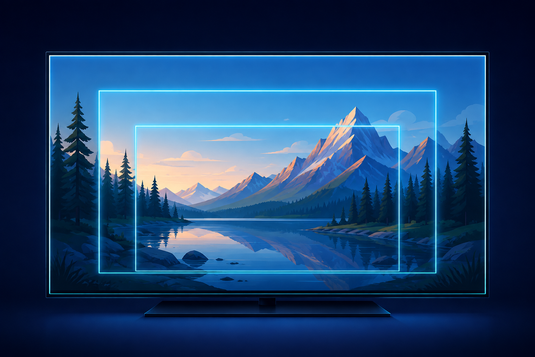
不少電視盒子(包括本店部分型號)均標示「最高支援 8K」。此說法本身並無錯誤,但容易被理解為「購買後即可觀看 8K 畫面」。實際上,「支援 8K」通常指硬件具備解碼 8K 訊號的能力,而非日常觀看的內容即為 8K。
Many TV boxes — including some of our own models — advertise "up to 8K support". That claim is technically accurate, but it is often misread as "I will see 8K picture quality". In practice, it means the hardware is capable of decoding an 8K signal.
我們認為事先說明清楚,勝於購買後才發現期望落差。
We would rather be upfront about this than have you discover the gap after purchase.
觀看 8K 需同時具備三項條件 / Three Things Must All Be True
-
裝置能夠解碼 8K — 現代旗艦盒子多數具備此能力。
The device can decode 8K — most modern flagship boxes can. -
電視為 8K 機種 — 此為多數家庭的實際限制,8K 電視仍屬高價小眾產品。
Your TV is an 8K panel — the bottleneck for most households. -
所觀看的內容本身為 8K — 此為最大限制。
The content itself is 8K — the biggest limitation of all.
8K 內容的實際供應情況 / How Much 8K Content Actually Exists?
坦白而言:極為有限。目前絕大部分串流內容、直播頻道及影視節目最高僅至 4K,相當部分仍為 1080p。8K 內容主要為示範影片及少量實驗性製作。即使同時具備 8K 裝置與 8K 電視,日常亦難以找到 8K 內容。
Honestly: very little. The overwhelming majority of streaming content tops out at 4K, and a great deal is still 1080p. 8K material is largely limited to demo reels and a small amount of experimental production.
8K 支援是否毫無價值?/ So Is 8K Support Pointless?
並非如此,但其價值主要在於未來兼容性,而非即時的畫質提升。具備 8K 解碼能力的硬件,通常代表其處理器與影像引擎屬較新世代,在處理 4K 內容時亦會更具餘裕、更為流暢。
No — but its value lies mainly in future compatibility rather than an immediate picture-quality gain. Hardware capable of 8K decoding generally also means a newer-generation processor.
真正影響觀看畫質的因素 / What Actually Improves the Picture You See
-
來源內容質素 — 影響最大。1080p 來源於 8K 電視上播放,仍為 1080p。
Source quality matters most. -
網絡速度與穩定性 — 頻寬不足時,串流平台會自動降低畫質。
Streaming services drop quality automatically when bandwidth is short. -
HDR 支援 — HDR 對觀感的提升(對比度、色彩層次)通常較解析度數字更為明顯。
The perceptual gain from HDR is usually more noticeable than a resolution number. -
影像解碼技術 — 例如 AV1 可在相同頻寬下傳送更高質素影像。
AV1 delivers better quality at the same bandwidth. -
電視本身質素 — 面板、背光及影像處理往往較解析度規格更為關鍵。
The TV itself often matters more than the resolution spec.
實際建議 / Practical Advice
若電視為 4K 機種,選用能穩定播放 4K HDR 並支援 AV1 的裝置(例如 10P+)已然足夠,無需為「8K」標示額外付費。若網絡速度為瓶頸,改善網絡所帶來的畫質提升,將遠較提升解析度規格明顯——請參閱 播放卡頓解決方法。
If your TV is 4K, a box that reliably handles 4K HDR with AV1 support (such as the 10P+) is all you need. And if your network is the bottleneck, improving it will do far more for picture quality than any resolution spec.
延伸閱讀 / Related Reading
支援與教學 / Support & Guides
- 查詢訂單 — Track Your Order(輸入訂單編號即可查看物流狀態 / live carrier status)
- 小雲盒子完整安裝教學 — Complete Setup Guide
- 問題排解 — Troubleshooting
- 技術規格與功能 — Technical Specs & Features
- 產品常見問題 — Product FAQs
- 售後服務與保固 — After-Sales & Warranty